Hello, Homeros Bilişim visitors. Follow this six-step guide to quickly set up a POP3 email account on your iOS phone. Have a good day!
Step 1
Step 1
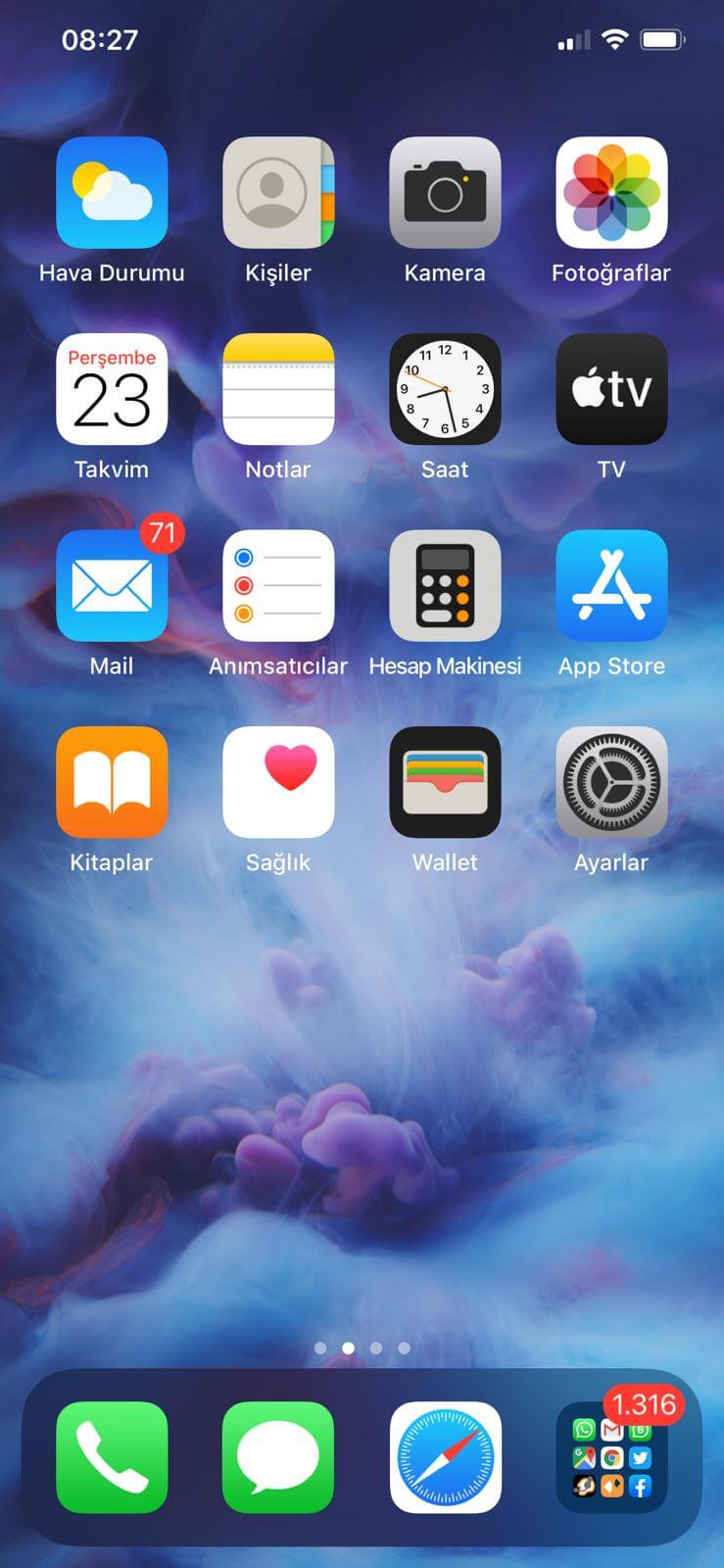
Tap the Settings icon in the menu.
Step 2
Step 2
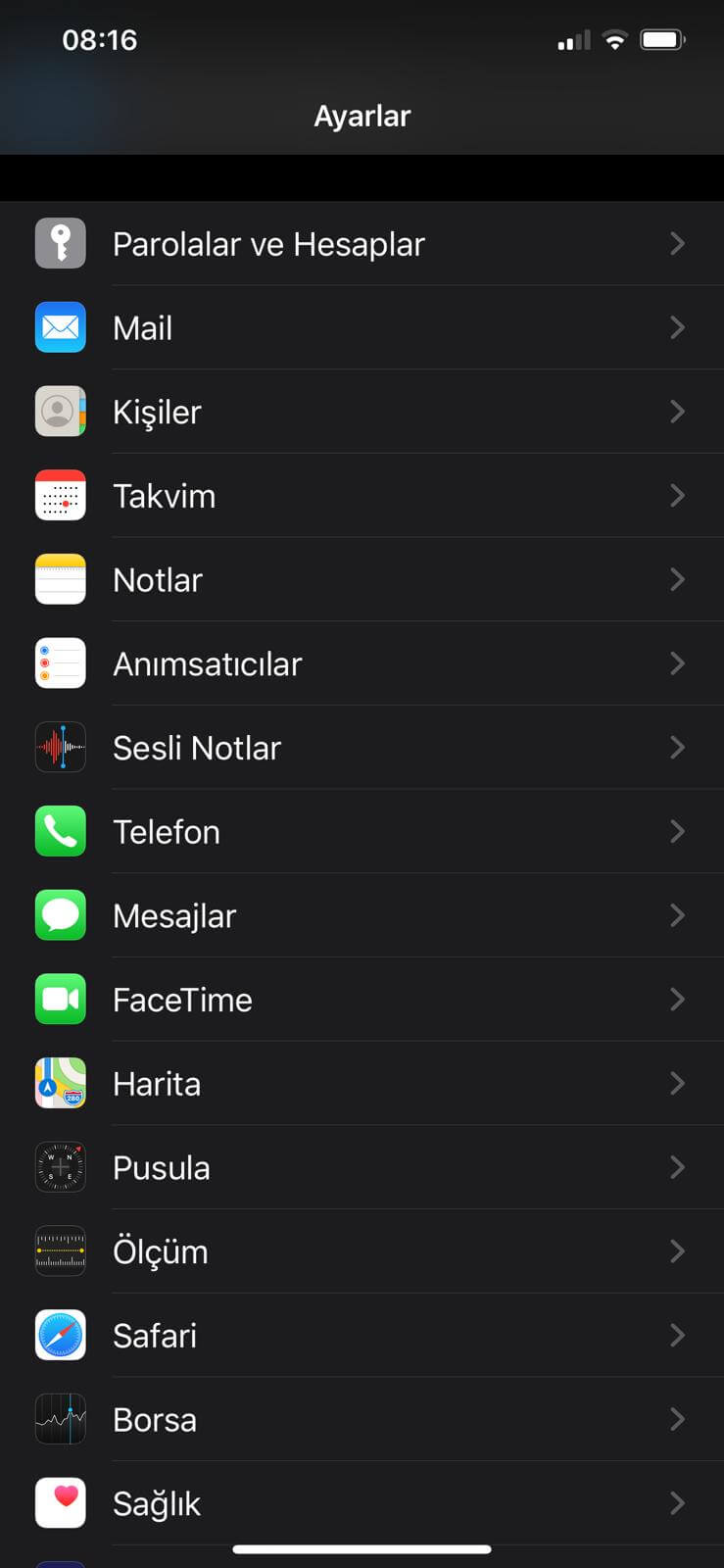
Tap Passwords & Accounts.
Step 3
Step 3
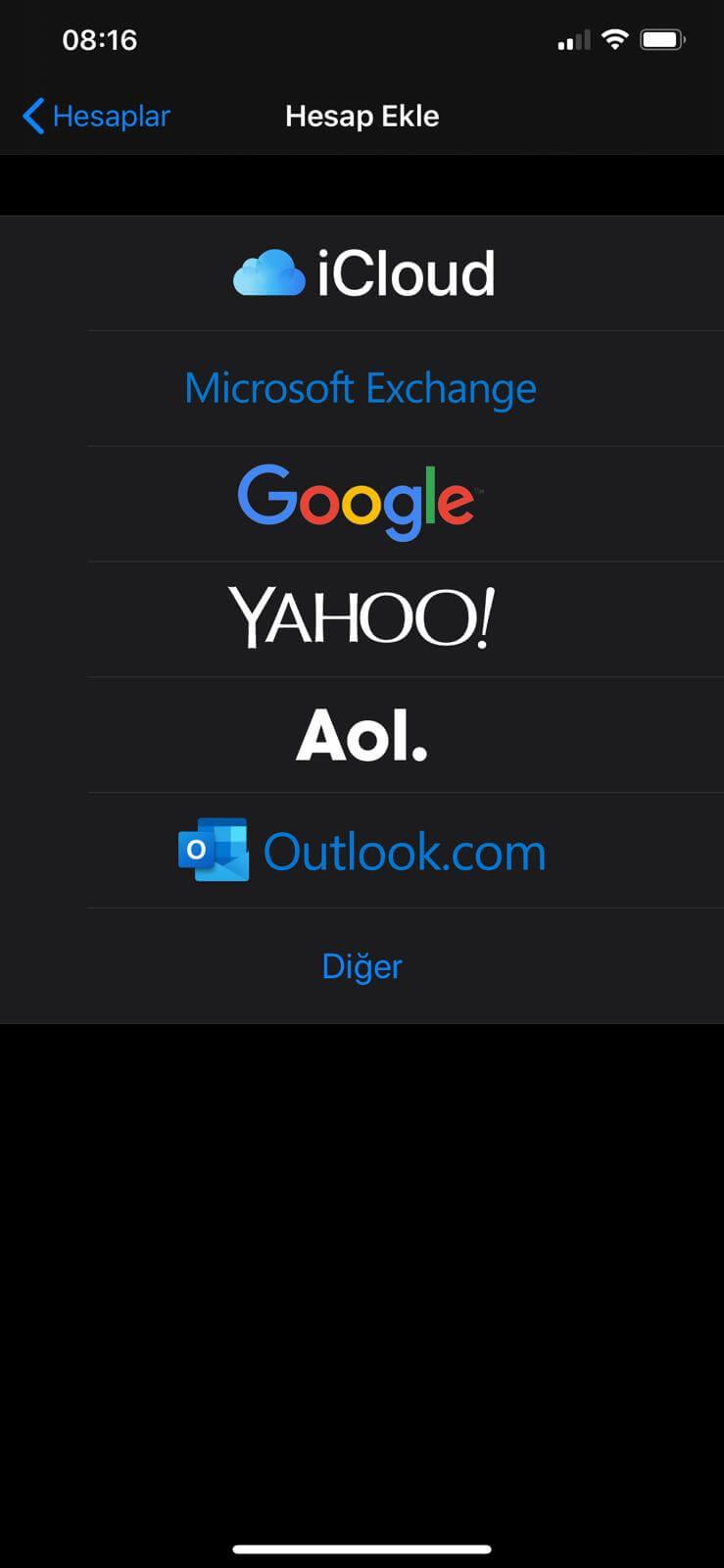
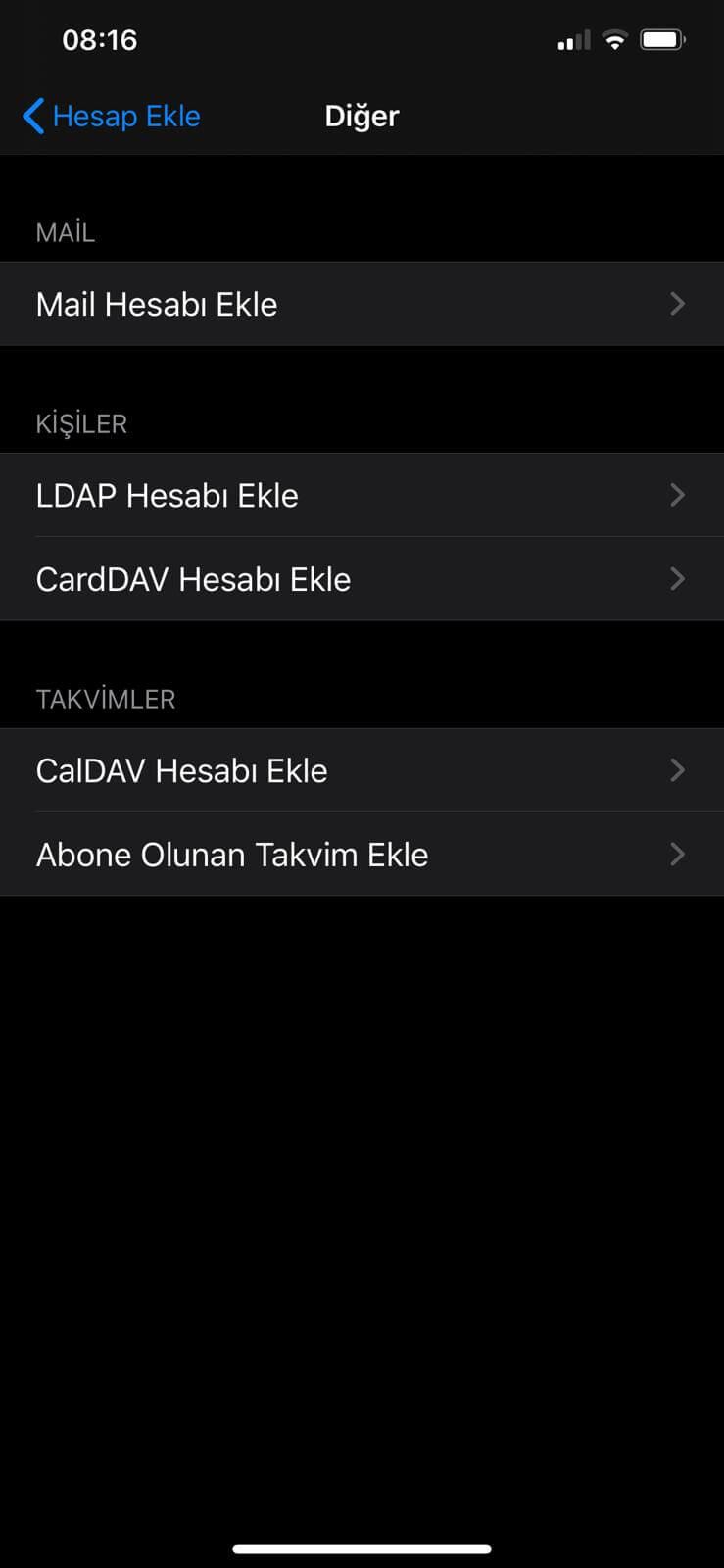
Select Other in the screen that opens.
Step 4
Step 4
Tap Add Mail Account.
Step 5
Step 5
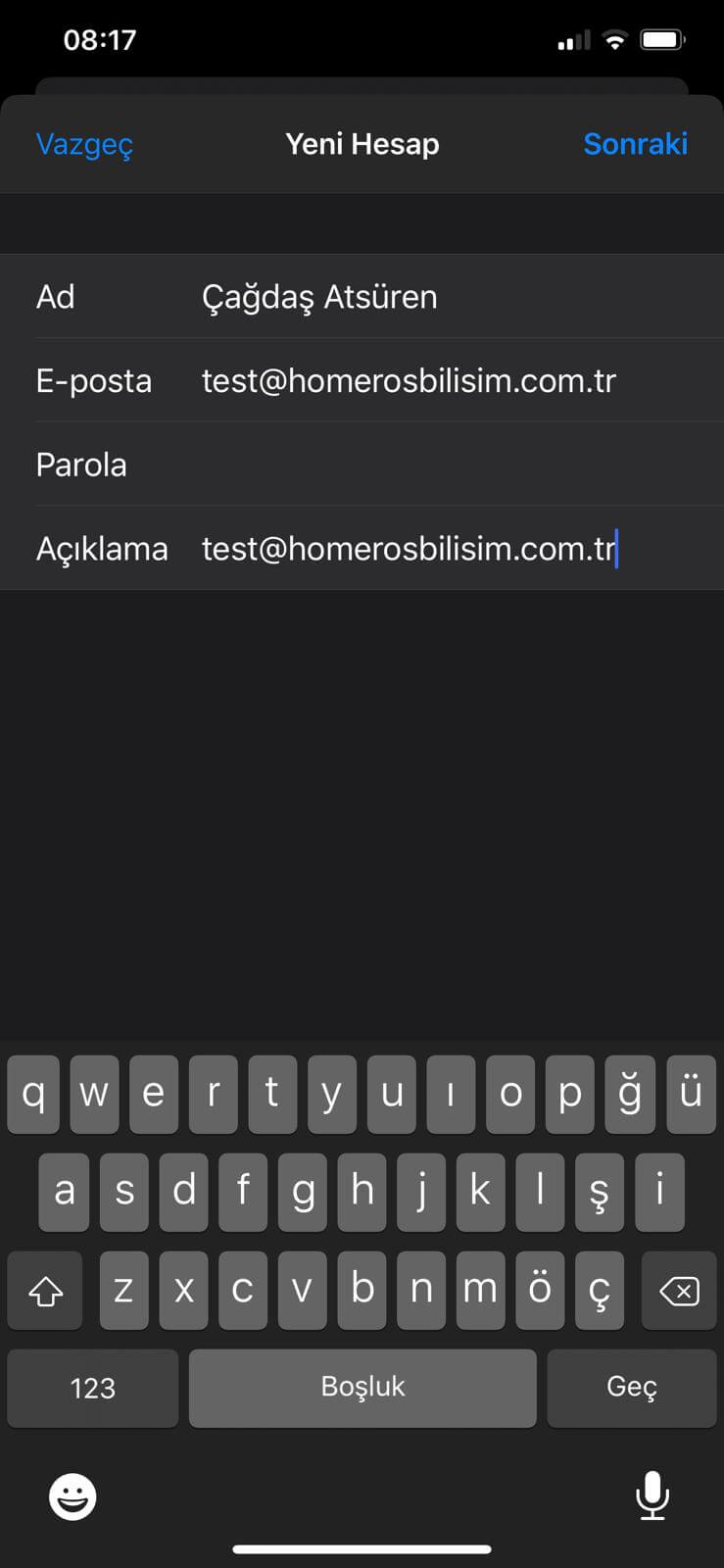
Enter the name to display on outgoing messages, your full email address and password, then tap Next.
Step 6
Step 6
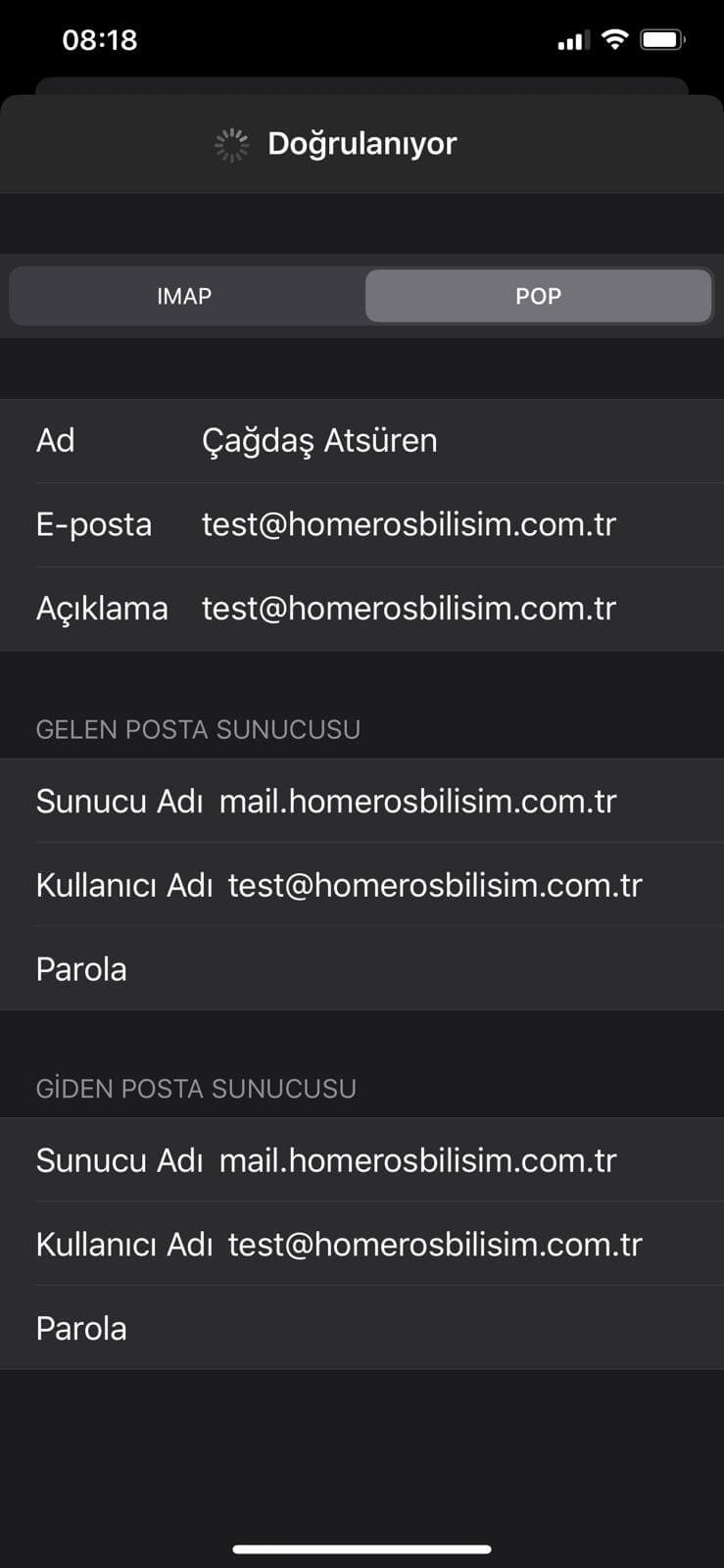
Select POP, enter mail.homerosbilisim.com.tr for both incoming and outgoing mail servers, and fill in your full email address and password. Tap Done to finish. For new accounts on your own domain, see our business email packages.