Hello, Homeros Bilişim visitors. Here is a step-by-step answer to the common question of setting up POP3 email on Android. Follow the seven steps below to quickly set up email on your phone. Have a good day!
Step 1
Step 1
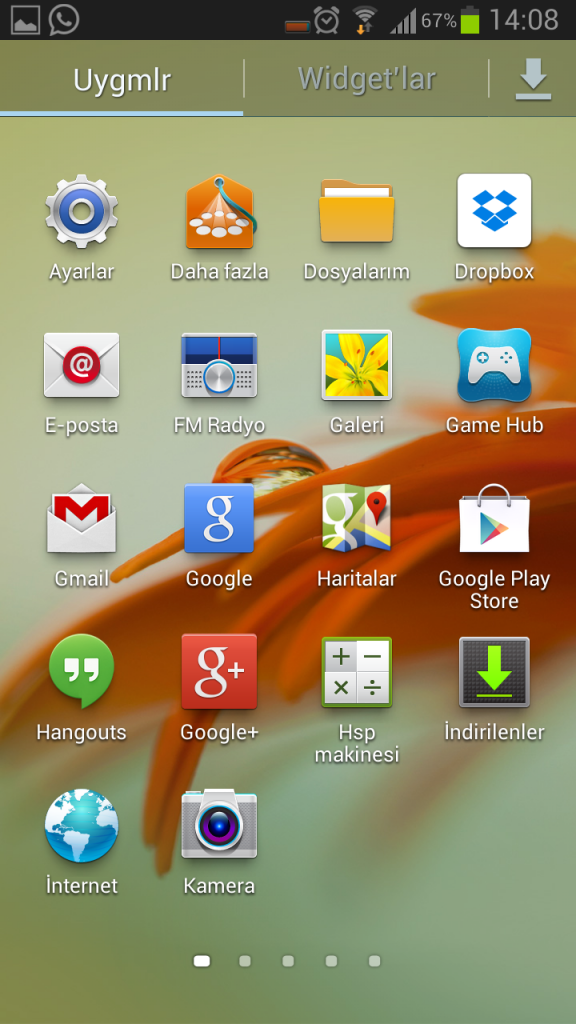
Tap the Email icon in the menu.
Step 2
Step 2
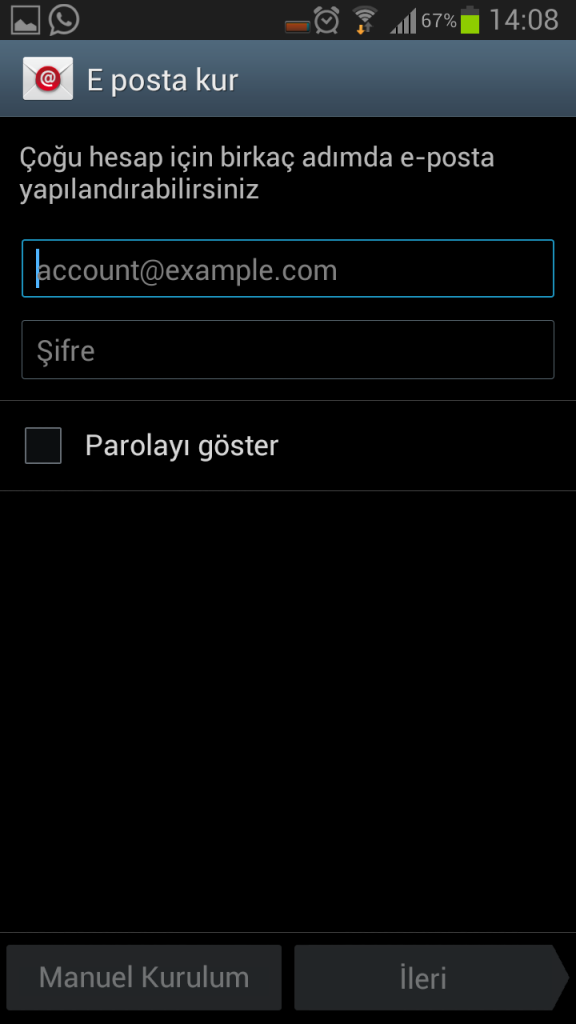
In email setup, enter your email address and password, then tap Next.
Step 3
Step 3
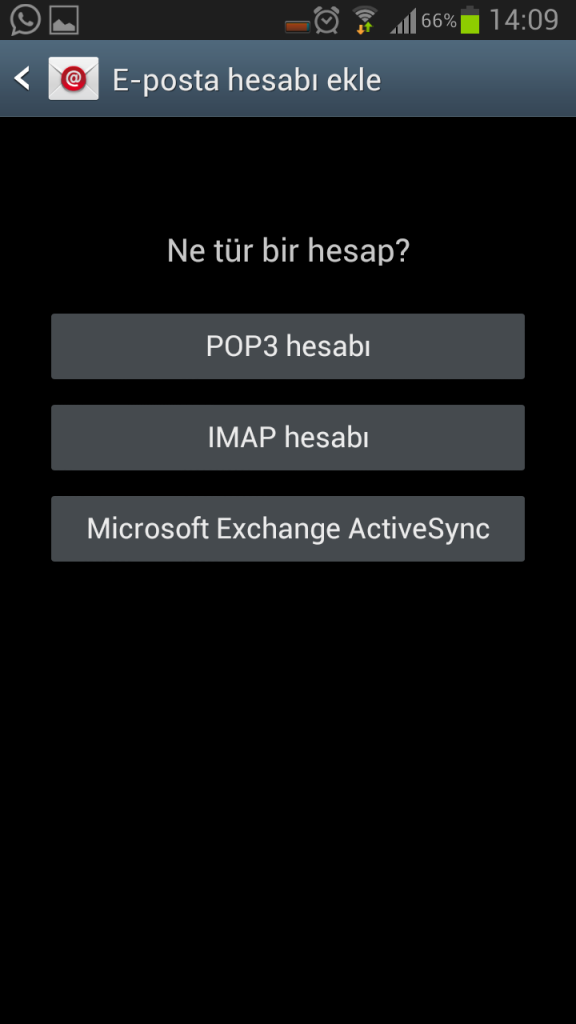
Select POP3 account in the screen that opens.
Step 4
Step 4
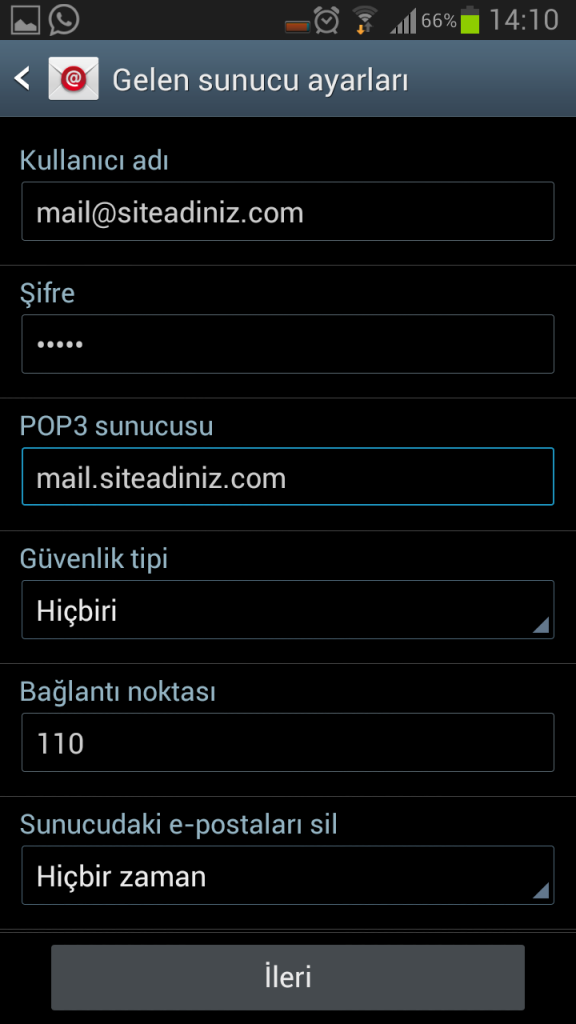
Enter mail@siteadiniz.com as the username, select None under Security Type and tap Next.
Step 5
Step 5
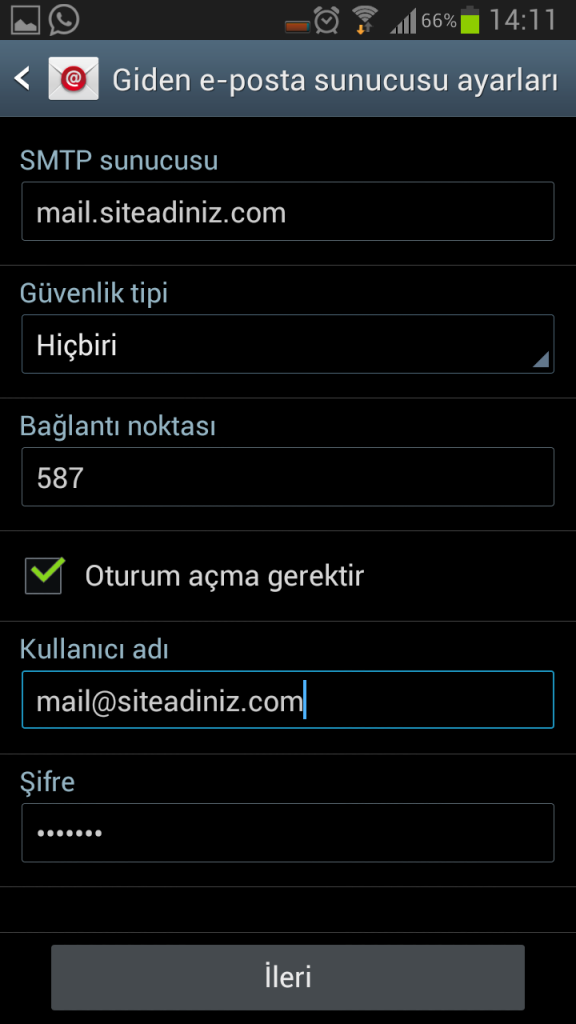
For SMTP server, enter mail.siteadiniz.com, select None as the security type and tap Next.
Step 6
Step 6
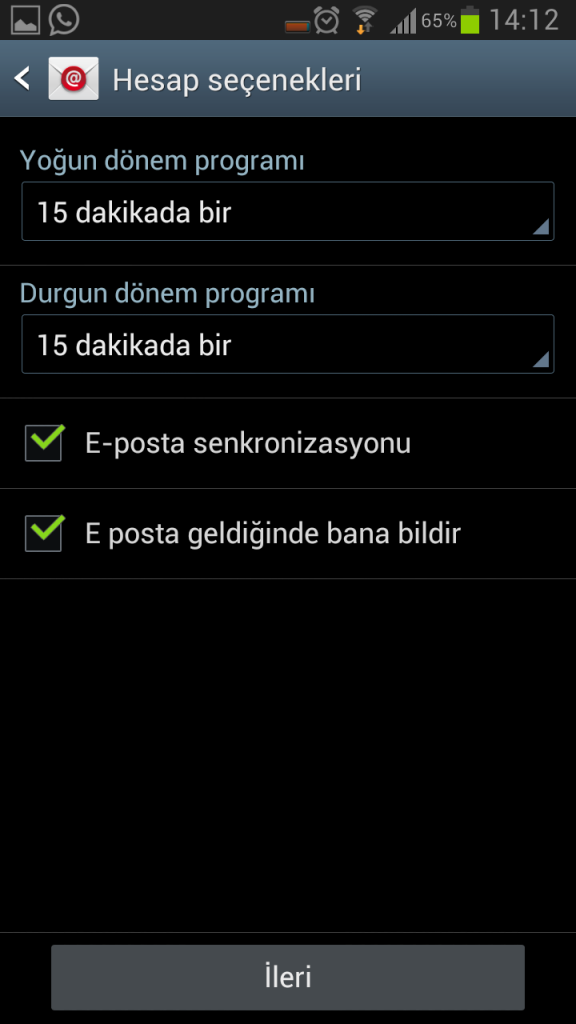
Choose how often to check for email, then tap Next.
Step 7
Step 7
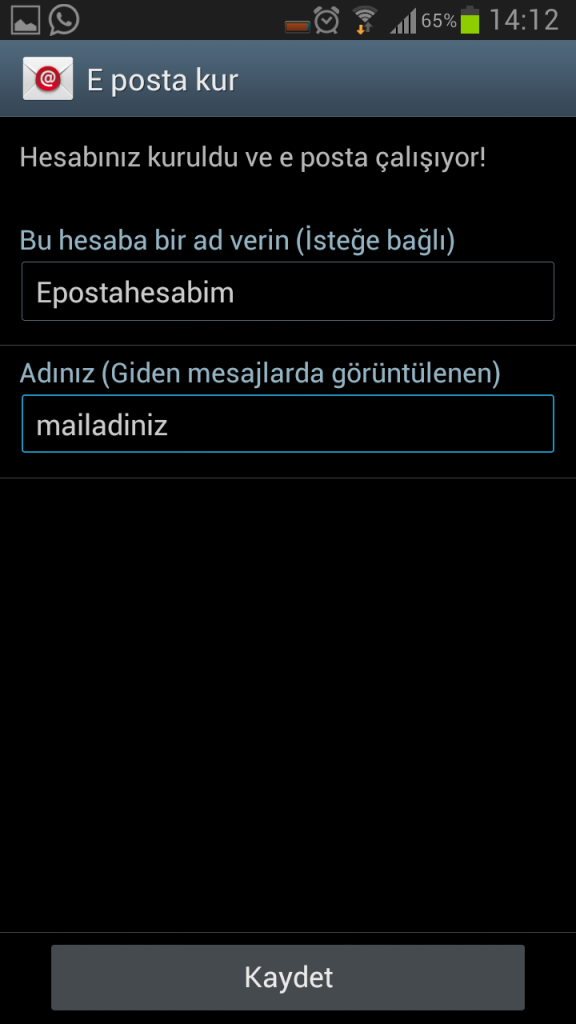
Name your email account and tap Save to finish setup. Congratulations, your email account is ready. For new accounts on your own domain, see our business email packages.